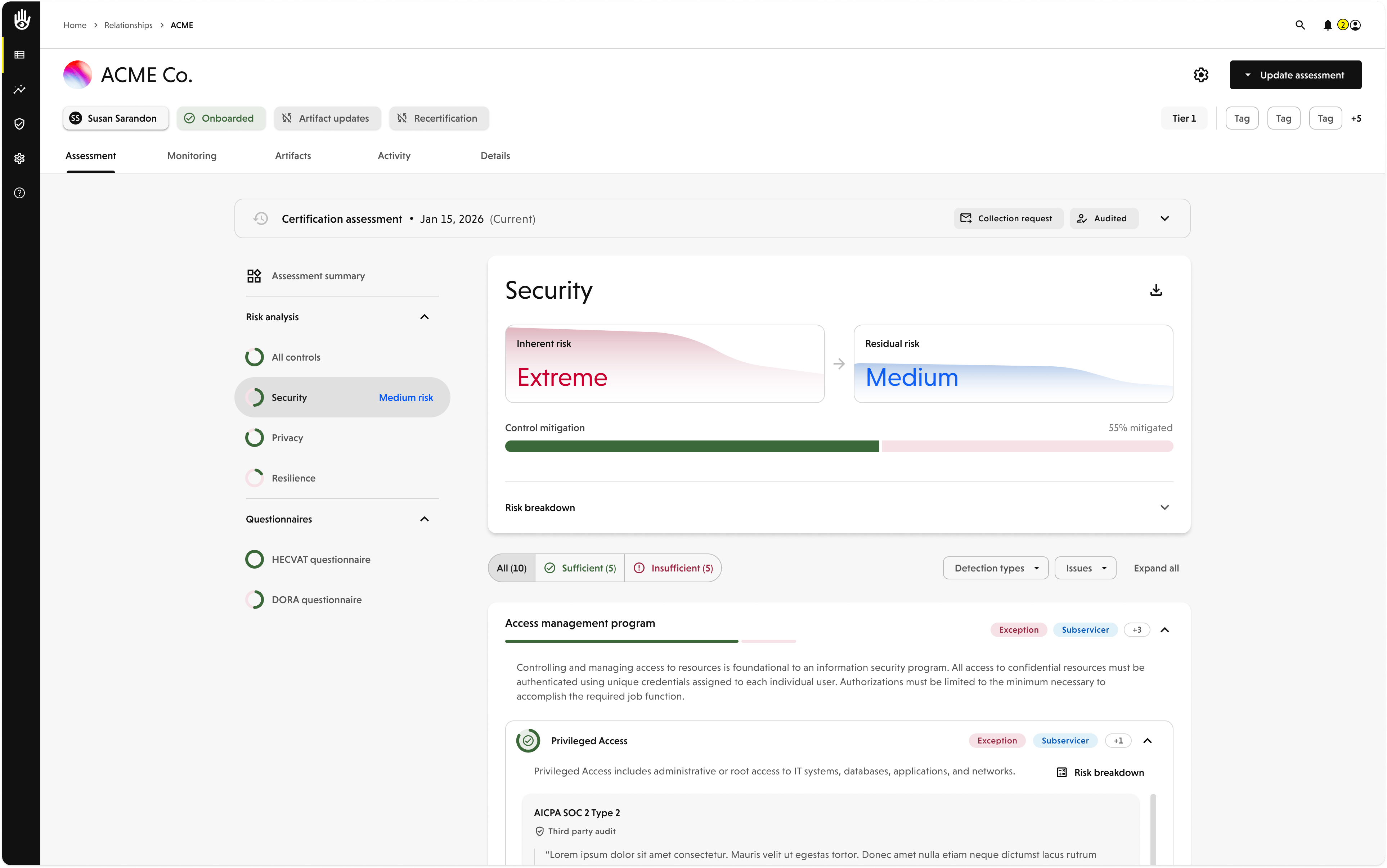
VISO TRUST is rolling out an updated risk analysis — a new version of the risk model and a rebuilt Risk Analysis view. You choose when to turn it on: an Admin can enable it for your organization as soon as you’re ready, and it switches on automatically for every organization on October 1, 2026, when the previous risk model is retired.
Enabling the new risk analysis is a one-way change. Once it’s on for your organization, it can’t be switched back.
What’s Changing
- A simpler calculation. Risk is calculated so it’s clear which factors directly affect your score.
- The math is visible. Each risk dimension shows a step-by-step Risk breakdown from impact through residual risk, and each control has a Control details panel showing exactly how its weight and the assurance of its evidence produced the mitigation it earned.
- History over time. Risk analysis is retained per assessment, so you can select a past assessment and see how your analysis has changed.
Your risk methodology doesn’t change — impact, likelihood, control mitigation, and residual risk mean what they’ve always meant. See Risk Analysis for a full walkthrough of the new view.
History only accrues from the first assessment that runs under the new model. Enabling early starts building that record sooner.
Turning It On
Enabling is self-service and takes an Admin a few seconds.
Open New features
In the left navigation, go to Settings → Org Profile, then open the New features tab.
Enable the update
On the Risk Analysis & Risk Model Update card, select Enable now.
Confirm
Read the confirmation dialog and select Yes, enable. The button changes to Enabled.
Only Admins see the New features tab, so only an Admin can enable the update. Program Managers, Contributors, and Viewers don’t need to do anything — once it’s on, everyone in your organization sees the new experience.
Admins may also see a banner across the top of the platform — Update available: See exactly what’s driving your risk score — with a View new features link to the same tab. Dismissing the banner changes nothing; you can still enable the update from the tab at any time.
Because this can’t be undone, review your portfolio and let your team know before you enable it.
What Happens After You Enable
- Completed assessments keep their scores. Every assessment that has already completed keeps the scores it was calculated with, under the model that calculated them. Your history stays intact.
- In-progress and new assessments use the new analysis. Any assessment still running when you enable, and every assessment started afterward, uses the new model and the new Risk Analysis view.
- Your portfolio is recalculated in the background. Enabling re-runs the risk model across every relationship to produce its current score under the new model. This does not overwrite any completed assessment.
- The difference surfaces as a pending change. Where the new model produces a different result than a relationship’s last completed assessment, it appears as a Risk model updated pending change rather than silently changing the score. You decide when to bring each relationship current.
To bring a relationship onto the new analysis, run Update assessment from the relationship. Until that assessment completes, the relationship keeps showing its most recent completed assessment.
Once a relationship has a completed assessment on the new model, the risk analysis sections of its older assessments can’t be opened — selecting one shows “Risk analysis history is not available for some older assessments.” The assessment summary and questionnaire sections for those assessments still work.
Rollout Timeline
You have a window to opt in on your own schedule. On October 1, 2026 the new risk analysis turns on automatically for any organization that hasn’t enabled it yet, and the previous risk model is retired.
FAQ
Do I have to do anything?
No. Enable it early to start using it right away — otherwise it turns on automatically on October 1, 2026.
Will my existing risk scores change the moment I enable it?
No. Completed assessments keep their scores. Affected relationships flag a Risk model updated pending change, and scores only move once you run an assessment update.
Can I turn it off after enabling?
No — enabling is permanent for your organization.
Who can enable it?
Any Admin. The New features tab is only visible to Admins.
Where do I see what changed on a specific vendor?
Open the relationship’s Risk Analysis after an assessment update completes.